


Instructions for creating an application and paying through the “Pay for you” service:
1. Decide initially how you will pay (UAH or PayPal/USDT) and select the appropriate currency.
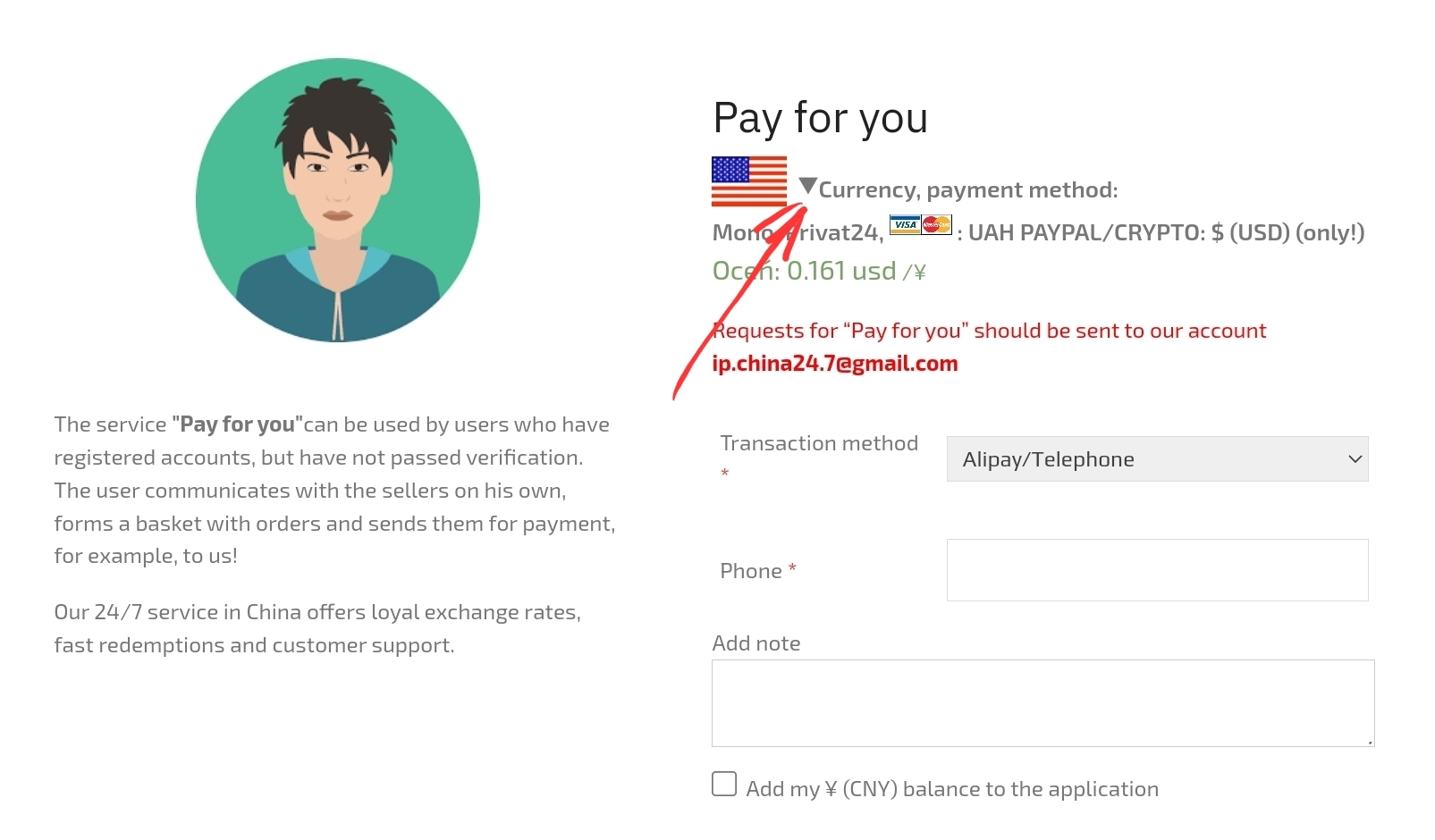
2. Choose “Transfer method to the seller”.
There are 2 payment options:
– Alipay e-mail (selected if your account is registered to your e-mail);
– Alipay tel. (selected if your account is registered on your phone).
3. When choosing you need to enter the details of the payee.
You will find them like this:


4. In the note to the application, indicate any information that is necessary for clarification or attention to the payment.
5. Having on the balance sheet a certain amount of yuan, you can check the box “Add my ¥ (CNY) to the application on the balance sheet”. For example, you have a request for 1000 yuan, you have a return of 100 yuan on your balance, therefore you only need to pay 900 yuan and check the box “Add my ¥ (CNY) to the application on the balance”.
6. Enter the amount of RMB required for replenishment and confirm the APPLICATION .
7. At the next step, the system will redirect you to the shopping cart. Once again, it is worth double-checking all the data you entered and choosing the payment method to our account. If you chose the UAH at the first step of this instruction, then the payment options are Privat24, monobank or bank cash desk/terminal. If you chose USD at the first step, then your payment option is Card/PayPal/Crypto.
Check your payment option, read the terms of the contract and check the box “I have read and agree to the terms and conditions of the site”. Click to confirm the order.
8. Your order has been created! The order has been assigned a number. You will see the payment details and the purpose of the payment.
ATTENTION! It is MANDATORY to indicate the purpose of payment when paying!
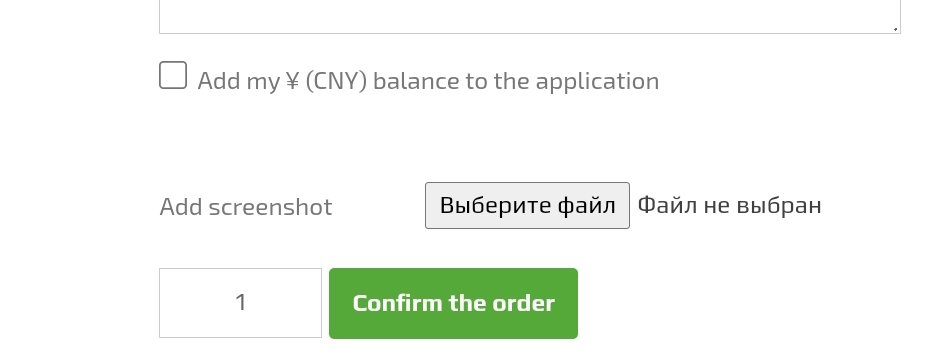
9. After making the payment, you need to send a screenshot of the photo of the payment or a receipt through this form. There should be exactly a receipt for a successful transfer, and not a screenshot of the payment being processed.
10. All your orders can be viewed in your personal account and check the status of their implementation.
Usually all applications are paid within 10-20 minutes during business hours after you send a confirmation of payment.